

When you sign in, search for a product or submit a booking form, several parts of a web application work together behind the scenes. The frontend displays the page, the backend processes the request, and the database stores or retrieves information. A full-stack developer works across these connected layers.
Understanding the journey makes it easier to plan an application, troubleshoot a bug and decide where each piece of code belongs. Let’s follow one ordinary action—from a click in the browser to a response on the screen.
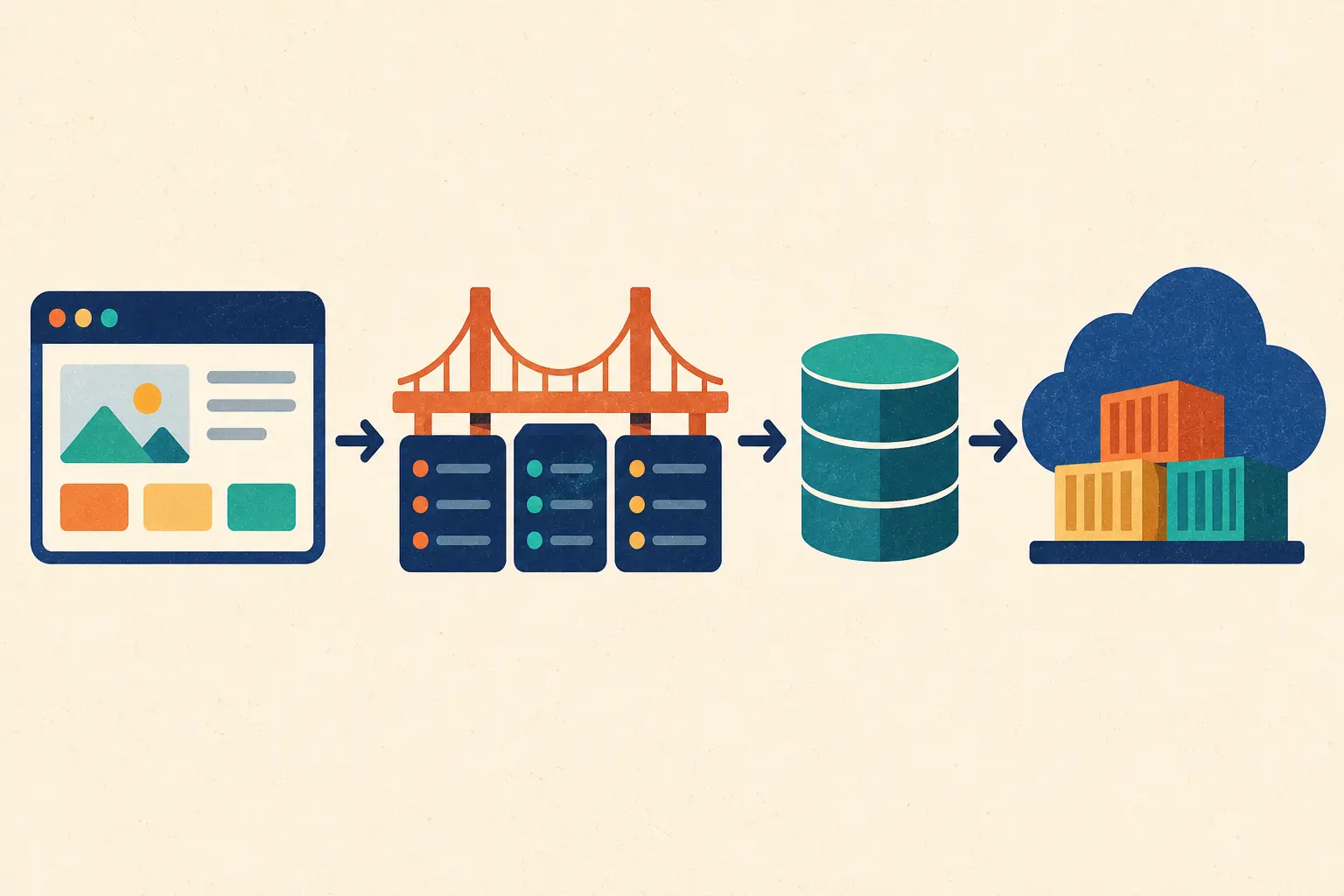
A web application usually has a client side and a server side. The client side—often called the frontend—runs in the browser and presents the interface. The server side, or backend, receives requests, applies the application’s rules and may read or update data in a database.
The “stack” is the set of technologies and services used to build and run those parts. It might include HTML, CSS and JavaScript in the browser, a backend framework, a database, and a hosting or cloud platform. The exact tools vary; the flow between the parts is the important idea.
The frontend is the part a person sees and interacts with: navigation, forms, buttons, product cards and messages. HTML gives content its structure, CSS controls presentation, and JavaScript can respond to user actions or update parts of the page.
When someone clicks “Search,” the frontend gathers the search term. It can check simple details, such as whether the field is empty, but it should not be trusted to enforce important rules by itself. A visitor can alter browser-side code or send a request without using the interface.
To ask the server for information or submit data, the browser sends an HTTP request. A request includes a URL and a method such as GET for retrieving information or POST for submitting new data. The browser can also send headers and a request body.
For example, a search might send the search phrase to an endpoint such as /api/products?query=shoes. The frontend is asking the backend to do work; it is not connecting directly to the database.
The backend receives the request and routes it to the right handler. That code should validate the submitted data, check whether the user is signed in when needed, confirm permissions and apply the rules of the application.
For a booking request, the backend might check that the date is valid, the selected slot is available and the current user is allowed to make the booking. Keeping these rules on the server helps protect the integrity of the application.
If the request needs stored information, the backend communicates with a database. A search may read matching product records. A registration may create a new user record. The backend decides what data is needed and should only return information that the user is allowed to see.
Databases can be relational, such as PostgreSQL or MySQL, or use other data models. The right choice depends on the relationships, query patterns and operational needs of the application. Regardless of the database, avoid placing private credentials in browser code.
After processing the request, the backend returns an HTTP response. It may contain a web page or data—often JSON—for the frontend to display. The response also includes a status code. For example, a successful request may return 200, while a missing resource may return 404.
The frontend reads the response and updates the screen: showing search results, confirming a booking or displaying a useful error. Good interfaces explain what happened and what the user can do next.
Before an application is released, teams check that the interface and server behave as expected. Tests can cover individual functions, API behavior and complete user journeys. Manual checks still help catch confusing layouts and situations automated tests do not cover.
Security belongs throughout the flow. Validate data on the server, enforce permissions for protected actions, keep secrets out of public code and use secure transport. After checks pass, the frontend and backend are deployed to hosting environments so people can access them online.
Deployment also includes configuration, monitoring and updates. A production app needs a way to notice errors and apply fixes as the product evolves.
This same pattern appears in sign-ups, checkout flows, booking systems and dashboards. The details change, but the request-processing-response cycle is familiar.
The frontend is the browser-facing interface people interact with. The backend processes requests, applies application rules and communicates with databases or other services.
Usually, no. The browser sends a request to a backend service, and the backend accesses the database. This helps protect credentials and lets the server enforce permissions.
The frontend responds to the click and may send an HTTP request. The backend processes it, may read or update data, and returns a response that the frontend uses to update the page.
A full-stack developer works across both, but you can learn them progressively. Start with web fundamentals, then build a small project that connects an interface to a backend and database.
Deployment is the process of putting an application and its required services on a hosting environment so users can access it, with the right configuration for production.
A full-stack web app is a set of connected parts working through a clear cycle: the browser gathers an action, the server checks and processes it, the database supplies or stores information, and a response returns to the screen.
Once you understand that journey, frameworks and tools become easier to evaluate. Focus first on the role of each layer, protect data at the server, and build a complete small project to see the whole flow in action.